Get Llamly free
  • Claude
  • ChatGPT
  • Codex
  • Gemini
  • Cursor
  • OpenCode

Manage WordPress with AI. Track every change.

Llamly connects your AI directly to WordPress. No third-party servers in between.

  • Manage your site, posts and pages without limits
  • Use the AI subscription you already have, like Claude or ChatGPT
  • Every change the AI makes is logged. You can review and undo it in one click.

Free on WordPress.org. No Llamly account. No API key needed.

How It Works

You ask. ChatGPT, Claude, Cursor or Gemini does it for you.

Set up in a few minutes. The AI does the rest of the work for you.

1Connect

Connect the AI subscription you already use.

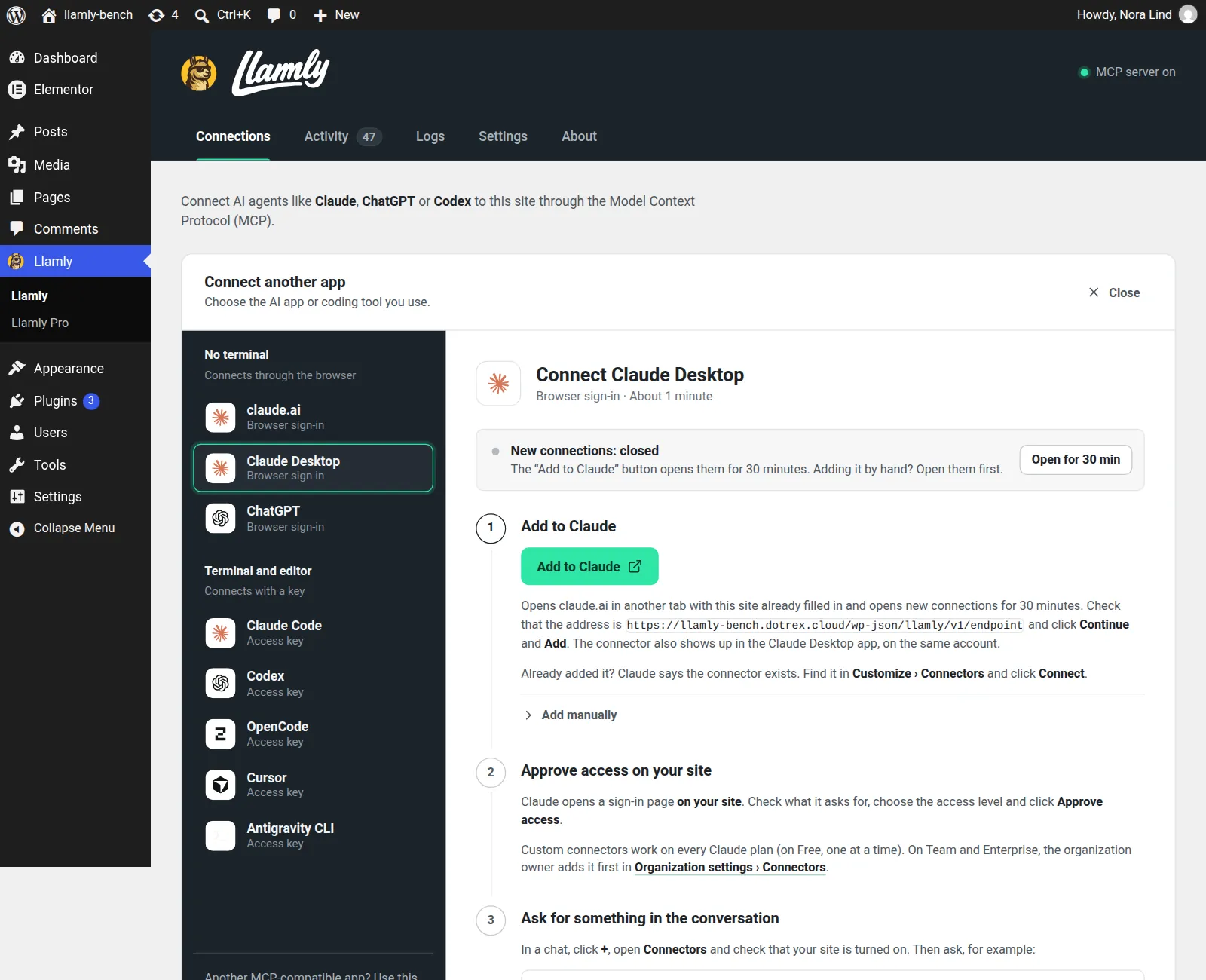
Install the free plugin, choose your AI app and follow the instructions. In minutes, your AI connects directly to your site.

Real screenshot of Llamly, Connections, in wp-admin: a list of apps (claude.ai, Claude Desktop, ChatGPT, Claude Code, Codex, OpenCode, Cursor) and the Claude Desktop guide. Step 1, Add to Claude. Step 2, Approve access on your site.

Are you connected to my site?

LlamlyRead site info

Yes. I can see Field Day Pottery: your pages, posts, media library and menus. What should we work on?

2Create

Create new pages from scratch.

With your AI connected, just ask it to build pages for you. Describe what you need in plain words. The AI builds the page and keeps it as a draft until you approve it.

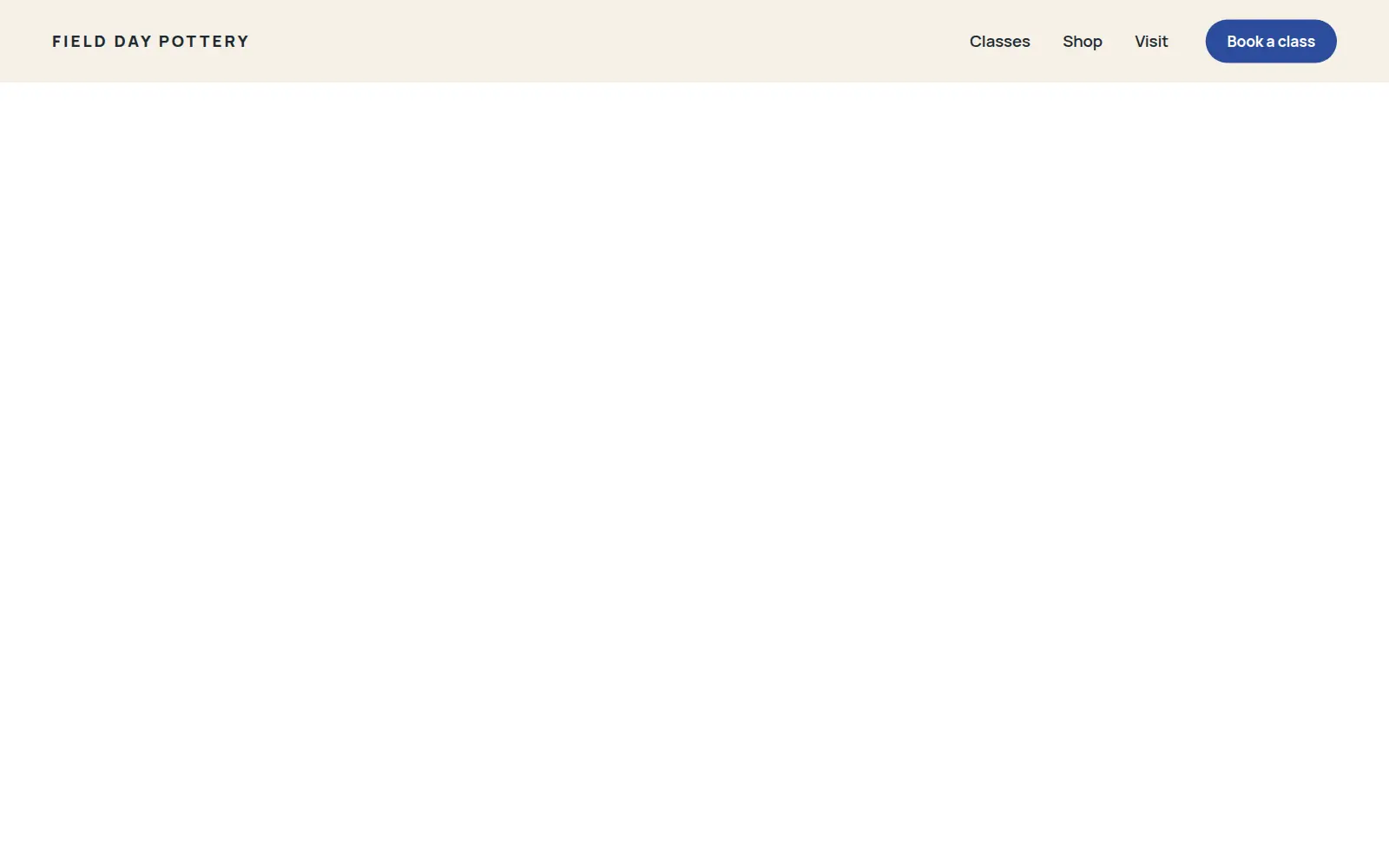
Real screenshot of the new draft page: only the header with the studio name and the menu. The rest is still empty.
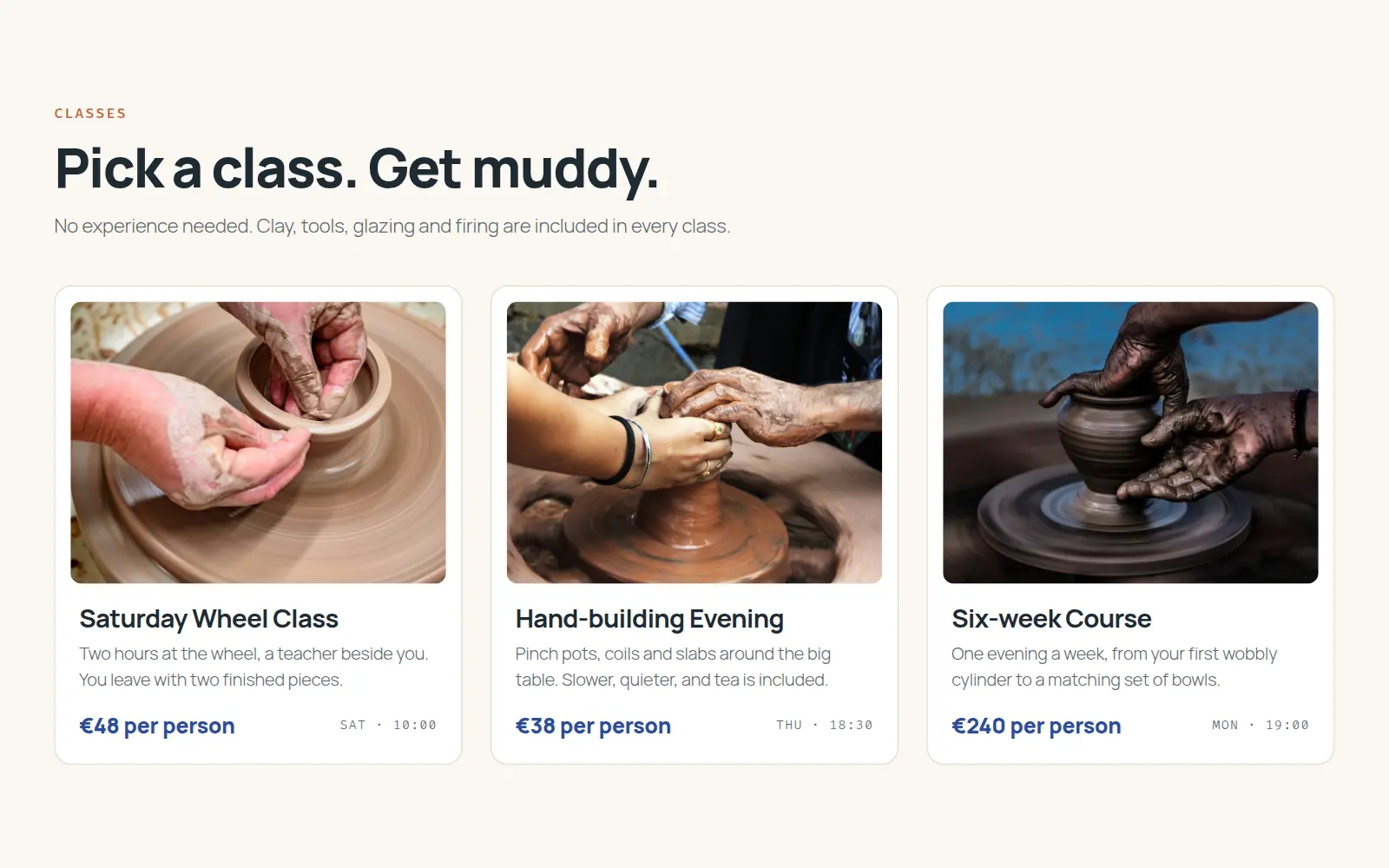
Real screenshot of the draft with the Classes section: three cards with photos and prices.
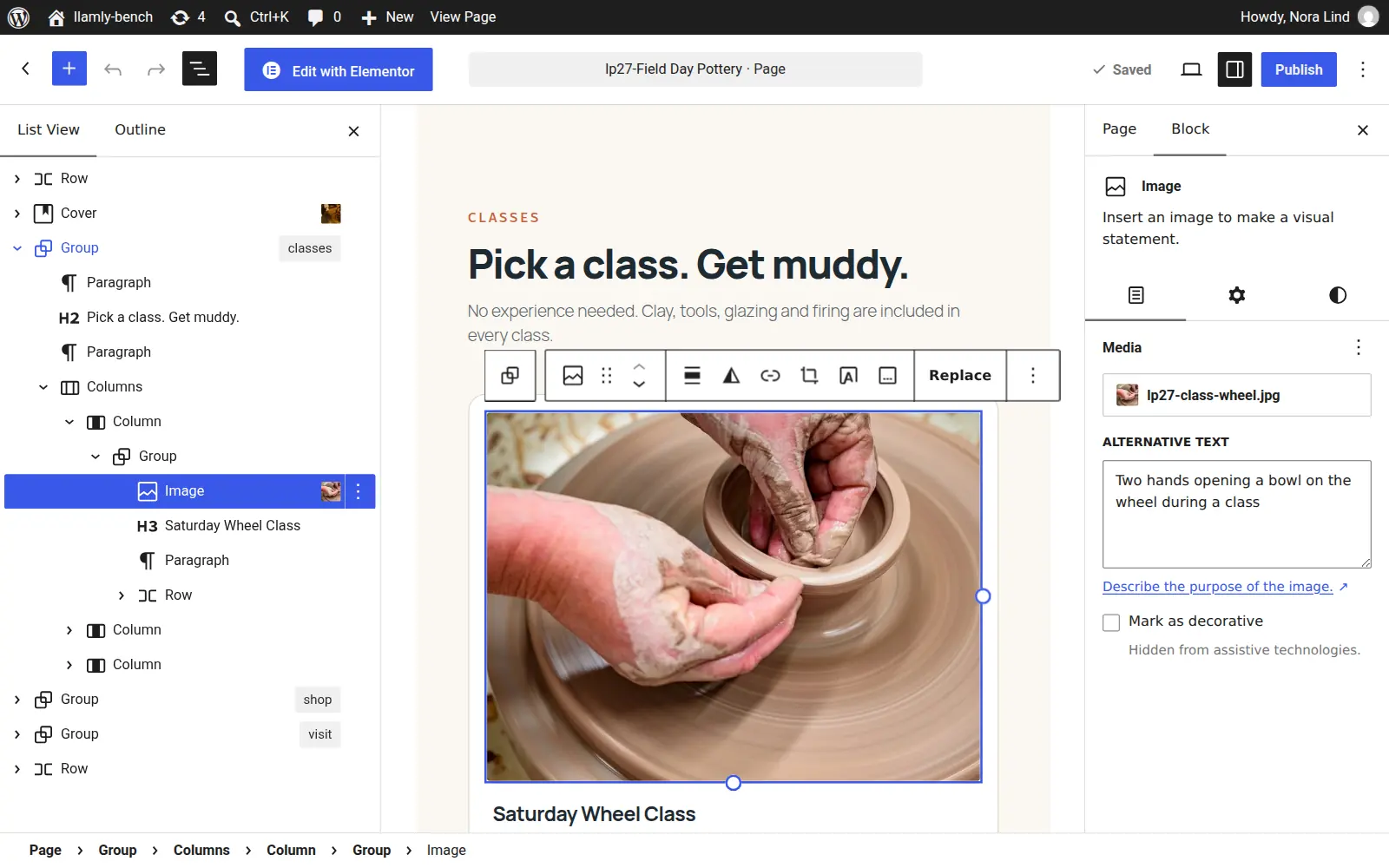
Real screenshot of the same page in the WordPress block editor, with Group, Columns, Image and Heading blocks in List View. Status: Draft.

Create a Classes page: a hero photo, our three weekly classes with prices, and a Book a seat button.

LlamlyCreated a page as a draft

LlamlyAdded blocks: hero, classes, button

Your Classes page is ready as a draft. Take a look, and tell me when to publish it.

3Manage the site

Run and update your site just by asking.

Ask your AI to write new posts, moderate comments or reorganize menus. Business hours changed? It updates them on every page. Bulk edits across posts? Just ask. No need to open wp-admin.

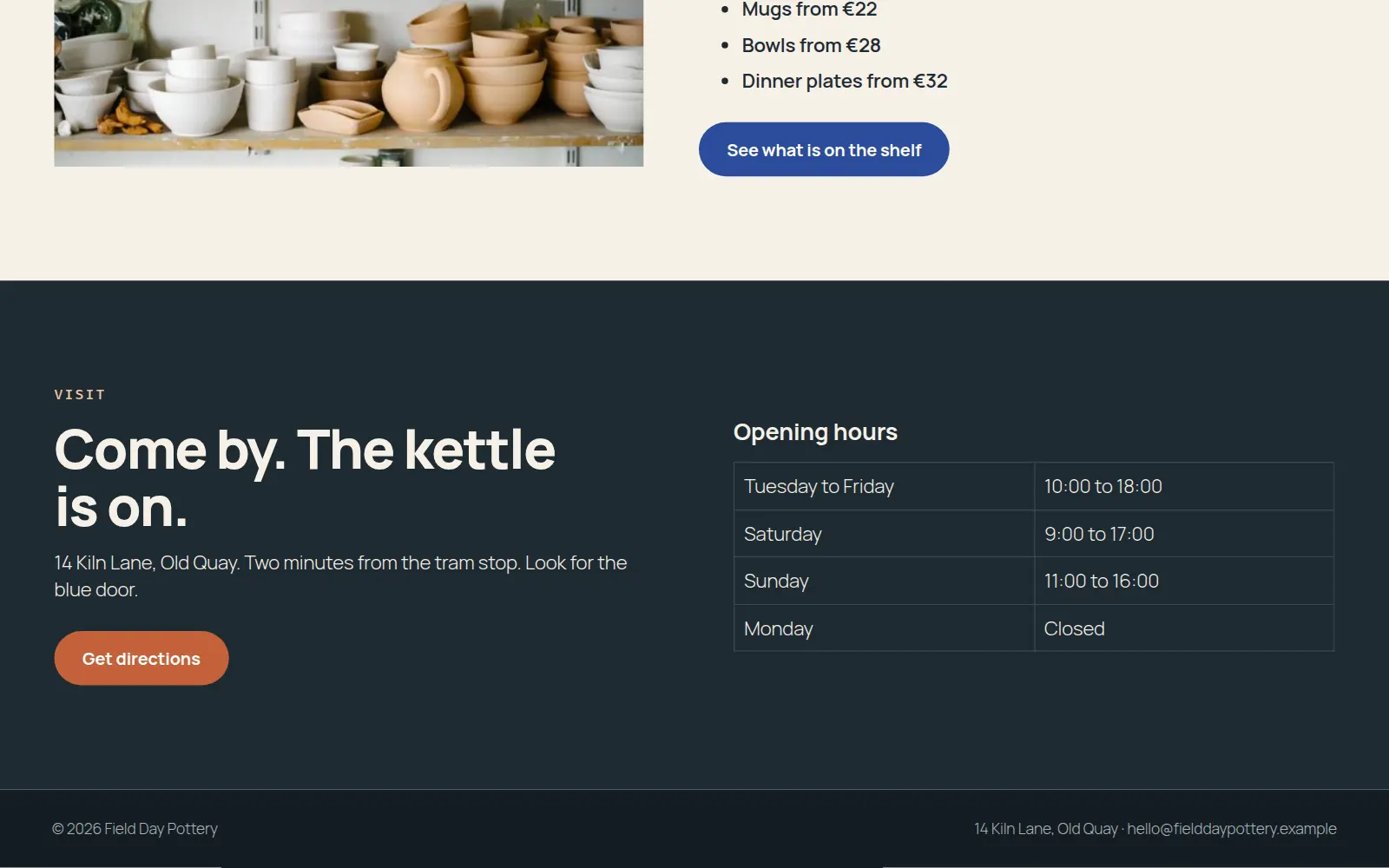
Real screenshot of the opening hours before the edit: Sunday 11:00 to 16:00.
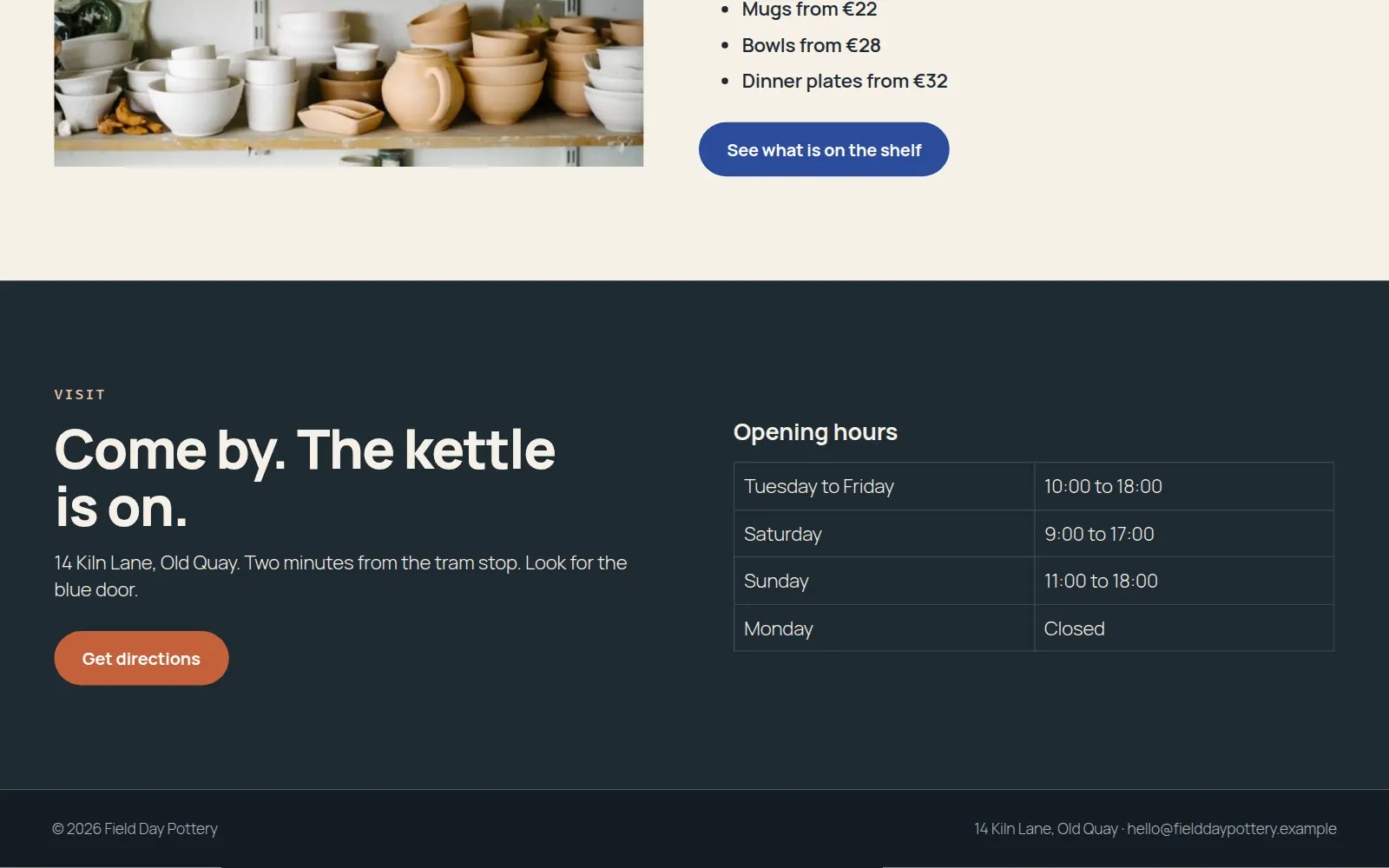
Real screenshot of the opening hours after the edit: Sunday 11:00 to 18:00.

We now close at 6 on Sundays. Update it everywhere.

LlamlyEdited 1 block

Done. Sunday now reads 11:00 to 18:00 in your opening hours.

4Review and undo

Did the AI change something it shouldn’t have? Just click Undo.

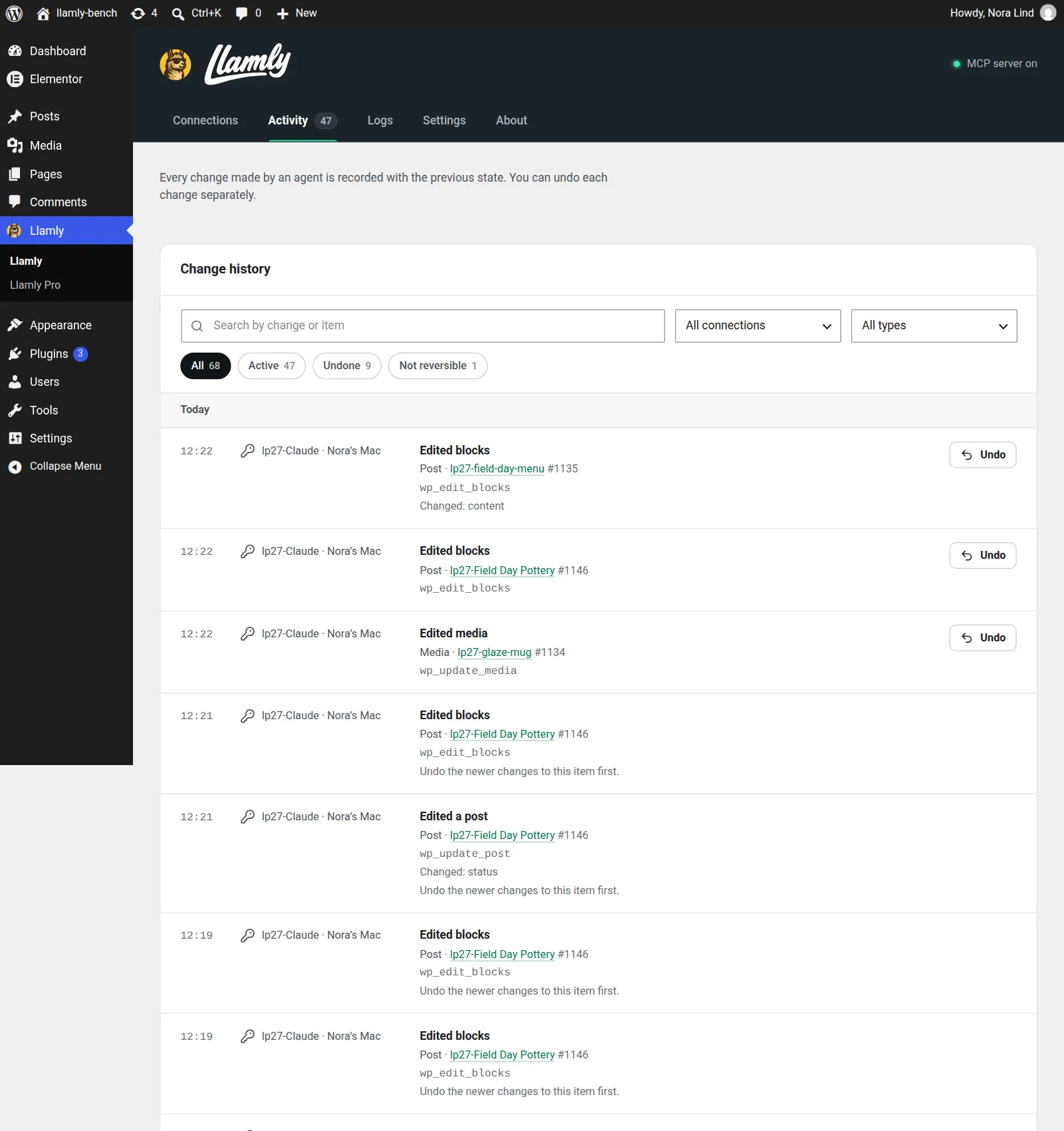
Every change appears in the Activity log in wp-admin: what changed, which app made it and when. Undo it in one click, or ask your AI to reverse it.

Real screenshot of Llamly, Activity, in wp-admin: today’s changes by the Claude connection, each with its time and tool, the latest ones with an Undo button.
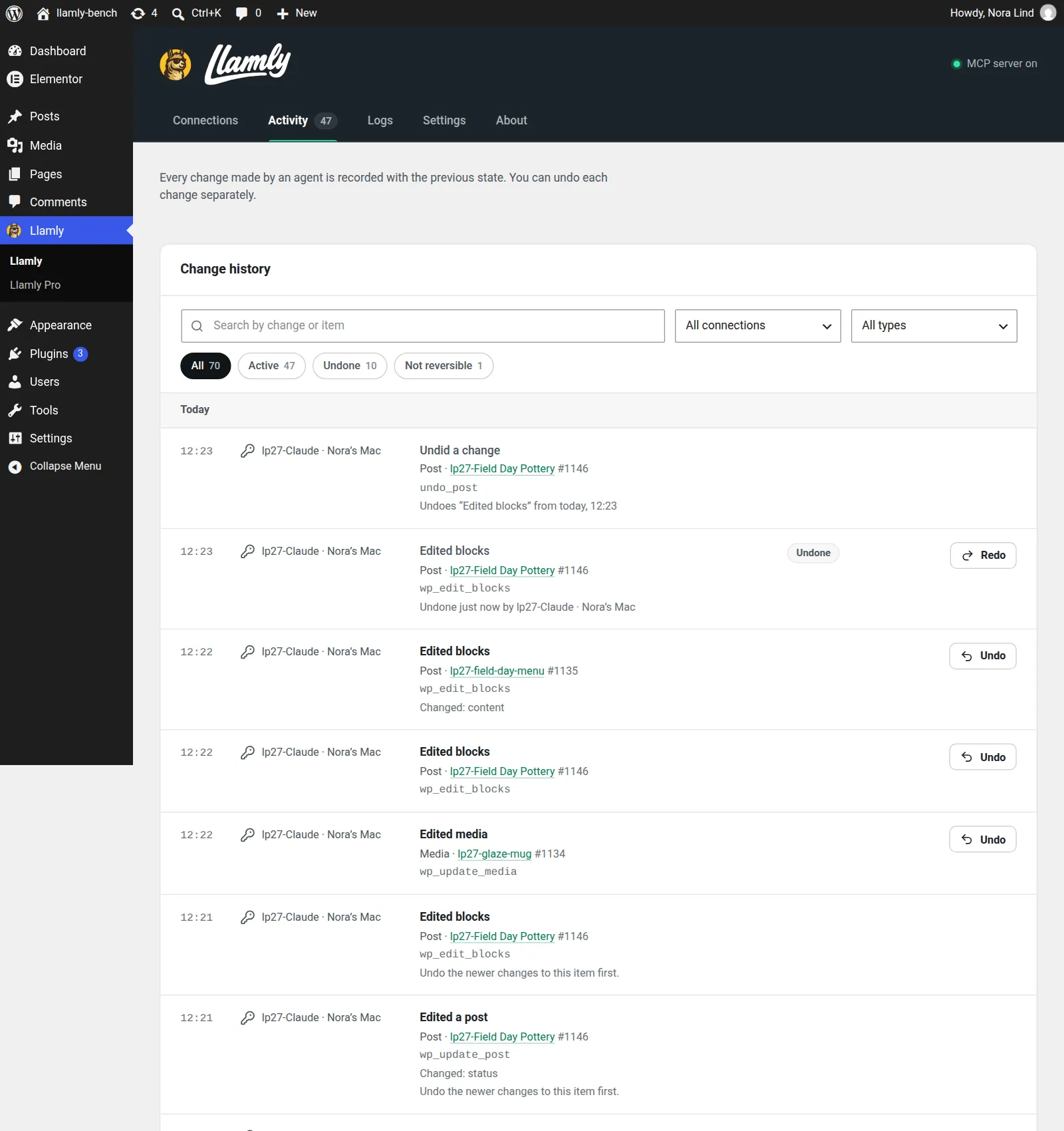
Real screenshot of Activity after the undo: an Undid a change entry, and the edit it reversed marked Undone, with a Redo button.

That new headline is too much. Undo it.

LlamlyUndid 1 change

Undone. The headline is back to “Make something with your hands.”

Watch

Prefer to watch? Check our 2-minute tutorial

Safety

Five controls that stay in your hands.

Llamly restricts access to content and keeps a clear log of every action.

01

Activity history

See who made the change, what changed and when.

02

Undo

Restore previous content for almost any recorded change.

03

Safe Mode

Require confirmation before deleting, trashing or undoing content.

04

Publication approvals

When enabled, publishing waits for review in wp-admin with a before and after view.

05

Content permissions

Read only or read and write, per connection. Users, settings, plugins, themes and code stay off limits.

FAQ

Frequently Asked Questions

Is Llamly really free?

Yes. The free plugin on WordPress.org connects your AI app to your site and manages content, media and menus, with full history and undo. These features are free and will stay free. Llamly Pro is an optional paid upgrade that adds advanced features, like building full pages in Elementor or Gutenberg and managing site settings, users and themes.

Are there usage limits?

Llamly sets no limits on requests, pages or edits. How much you can do depends on your AI app, since each request uses the quota of your own Claude, ChatGPT, Cursor or other subscription.

Do I need a Llamly account or an AI API key?

No. Llamly requires no account, and you do not need an API key from an AI provider. Your AI app talks directly to your WordPress site with no relay or intermediary server.

Does Llamly collect usage data?

Only if you opt in. The plugin includes optional usage statistics powered by Freemius. Llamly works the same without opting in.

Which AI apps can I use?

Claude, ChatGPT in developer mode, Codex and Cursor, plus Claude Code, OpenCode and Antigravity CLI. Step by step setup instructions are included in the plugin.

What can the AI change?

With the free plugin, your AI manages posts, pages, Gutenberg blocks, media, categories, tags, comments, menus, templates and global styles. It can read Elementor pages but not edit them. Llamly Pro adds full pages and custom sections built in Elementor or Gutenberg, site settings like the title and homepage, users, custom CSS, and themes from WordPress.org. Plugins and code files stay off limits in both.

Can every change be undone?

Almost all recorded content changes can be undone from Activity. Undo cannot reverse changes outside the WordPress database, such as cached copies on a CDN.